
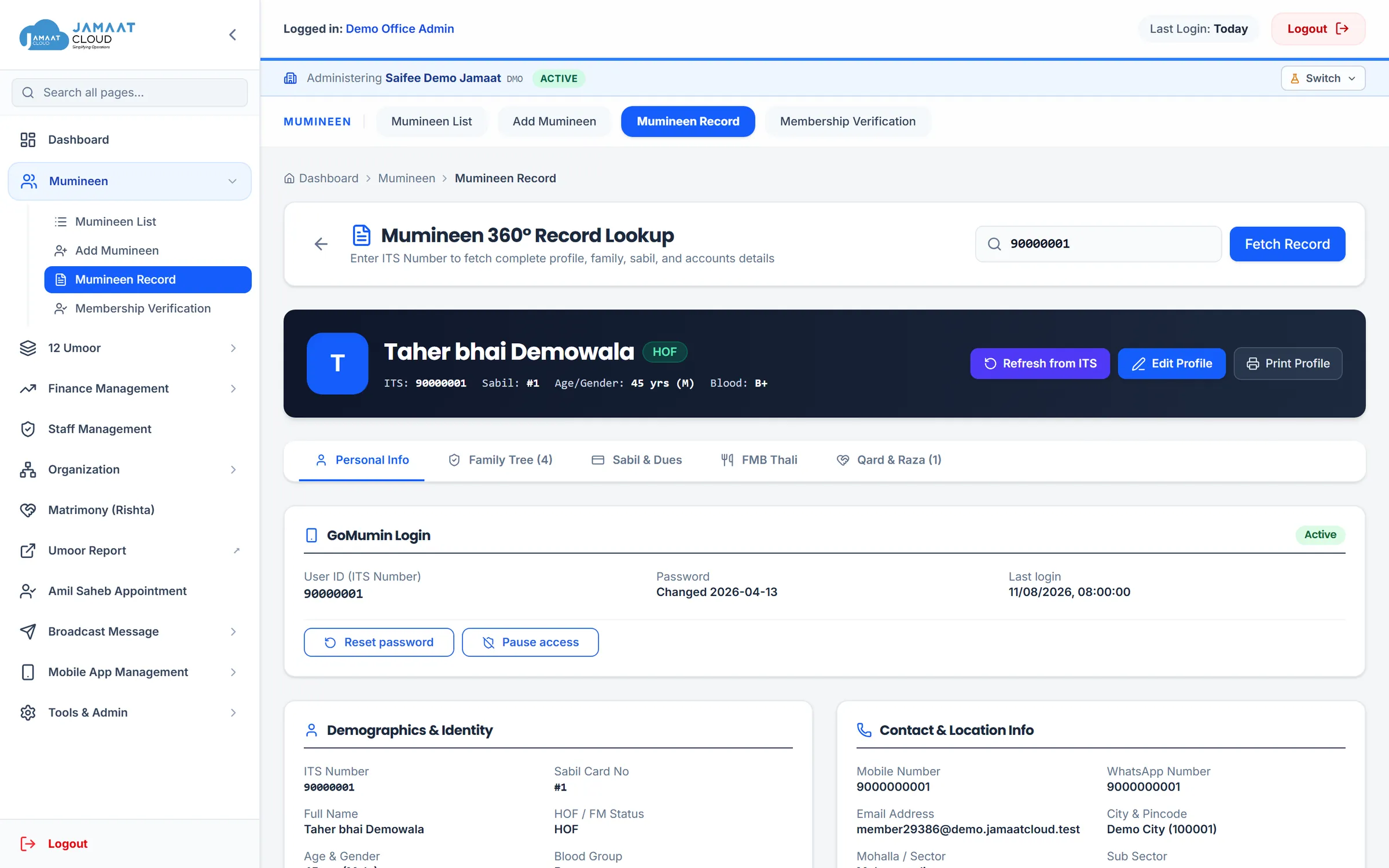
One unified register for every family, file, and department
Replace scattered spreadsheets with a secure database built for Dawoodi Bohra Jamaats. Map family units, assign staff permissions, and run the 12 Umoor from a single desk.
Head of Family (HOF) and Family Member (FM) architecture
Every household operates as an interconnected unit. View complete family cards, track dependents, update contact numbers, and verify ITS records in seconds.
- Search the whole register by ITS, name, Sabeel number or mobile
- Tanzeem file number linkage across all household members
- Address change requests submitted by members and reviewed by the office
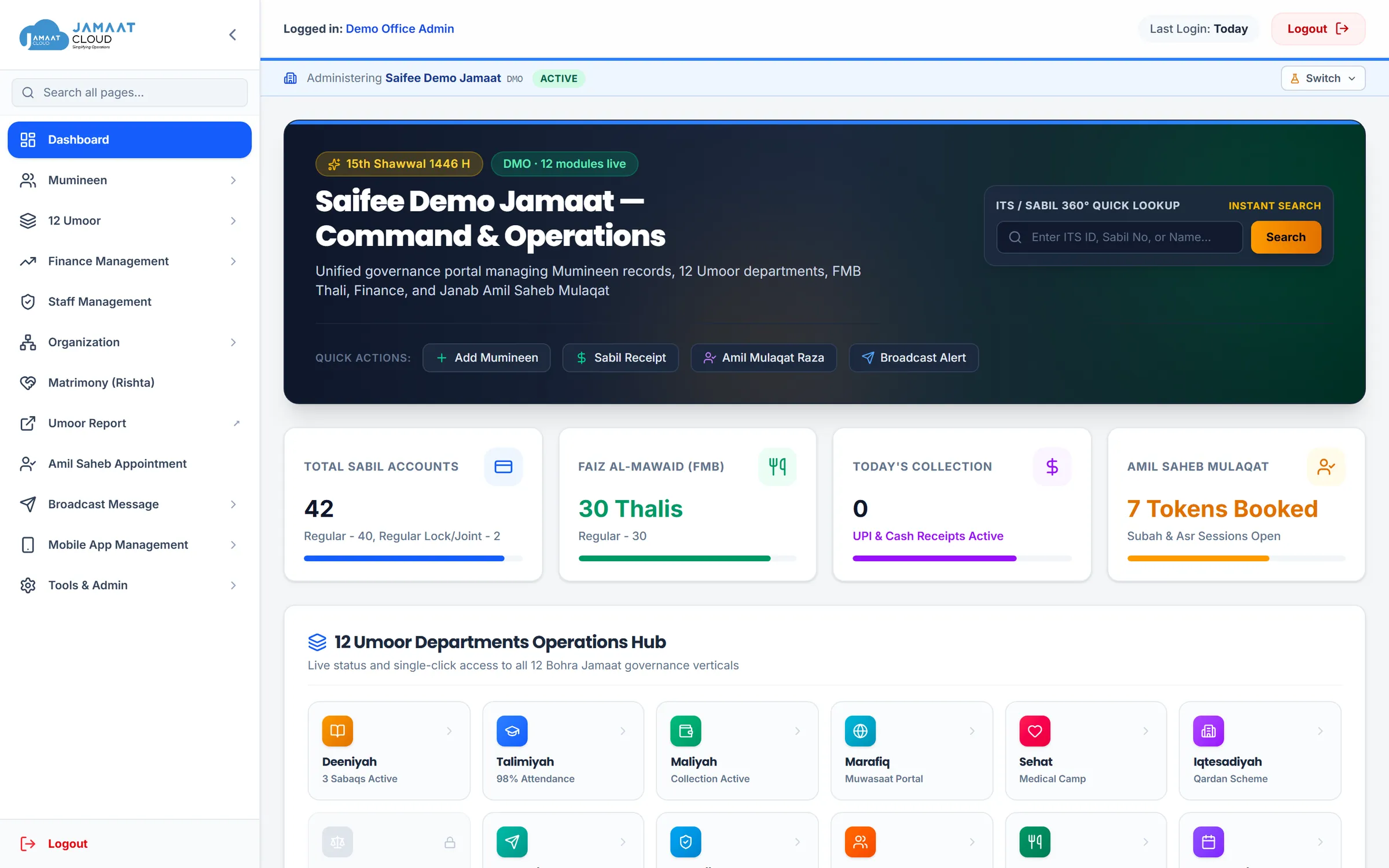
Dedicated workspaces for the 12 Umoor
Each committee receives its own dedicated space: Deeniyah for namaz and majlis timings, Talimiyah for educational records, Sehat for medical camps, and Marafiq for hall bookings.
- Deeniyah: Namaz timings management, Islamic calendar, and Sabaq attendance
- Marafiq: Community hall bookings, sports events, and nazafat drives
- Iqtesadiyah: Qardan Hasana loan accounts and business directory
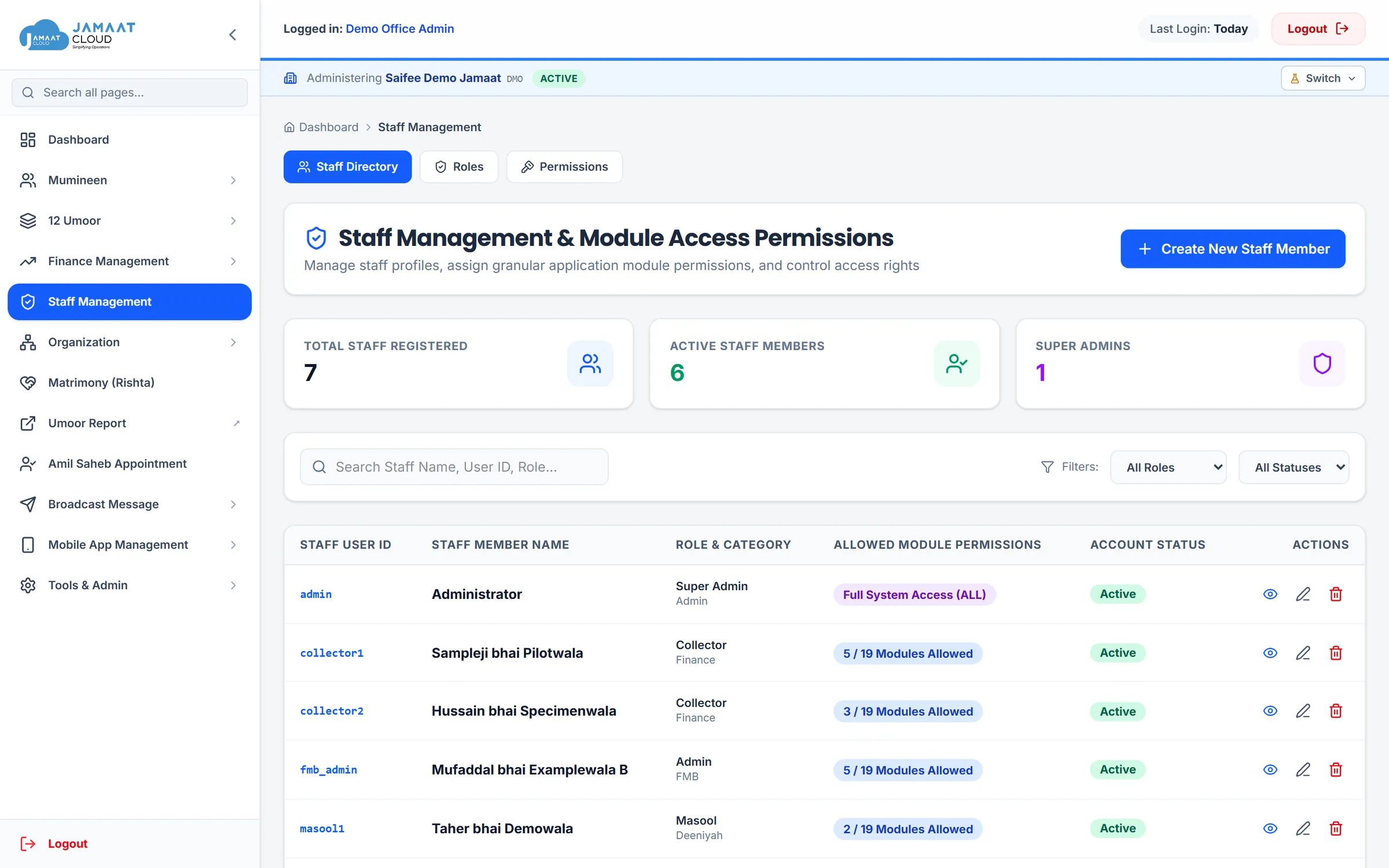
Granular permissions you can read and verify
Authority flows downward. A Jamaat can grant its staff only what the platform enabled for it. Staff see locked modules with the exact reason rather than hidden dead links.
- Separation of duties: accountants, FMB staff, and administrators each get their own role and permissions
- Every sign-in and administrative action recorded with timestamp and user ID
- Permission changes take effect within seconds when a staff member changes role
FAQ
Frequently Asked Questions
Can we import our existing Excel sheets of Mumineen?
Yes. The system accepts member census files with ITS ID, Full Name, Head of Family (HOF) indicators, Tanzeem file numbers, and Mohalla sectors, mapping them into unified family units.
Can different staff members have different permissions?
Yes. Roles are built from distinct permission keys. An accountant only accesses Maliyah and receipts, an FMB coordinator only accesses thali menus and dispatch, and viewing can be restricted separately from editing.
How are Mohallas and Masool committees organized?
You can configure your local Mohalla names (e.g. Ezzy, Najmi, Husaini) and Sectors. Masool khidmatguzaars can then be assigned to specific mohallas to review member needs.
Ready to organize your Jamaat office records?
Request a live walkthrough configured with your Jamaat’s structure.